Ladvien's Lab

All Posts

Authored By: Meatbag Clankers
Expose PostgreSQL Securely over the Internet using Cloudflare Tunnel

This guide walks through exposing a PostgreSQL server running on your local network securely over the internet using Cloudflare Tunnel and optionally a reverse proxy. The PostgreSQL server can live on a Raspberry Pi or any other machine in your home lab.

1. Prerequisites

  • PostgreSQL server (e.g. on Raspberry Pi or Ubuntu machine)
  • Static IP or DHCP reservation for the host
  • Cloudflare account with a domain (e.g. lolzlab.com )
  • cloudflared installed and configured on the local network
  • PostgreSQL server already configured and listening on a LAN IP

2. Configure PostgreSQL to Accept Cloudflared Traffic Only

On the machine ...

Building a Health Data Pipeline - iOS Auto Export to FastAPI & PostgreSQL

This article walks through building a working health data pipeline that automatically syncs your Apple Health data to a PostgreSQL database using FastAPI. No fluff, just the code that actually works.

The Problem: Health Data are Trapped

ios-to-warehouse architecture diagram showing data flow from Apple Health to FastAPI to PostgreSQL

I've been wearing an Apple Watch for years, collecting thousands of data points about my heart rate, sleep, workouts, and more. But here's the thing—all that valuable data just sits there in the Health app, basically useless for any real analysis.

As a data engineer, this drives me nuts. I want to run SQL queries against my health data. I want to ...

Switch from Cloudflare Origin Certificates to Let’s Encrypt on Raspberry Pi with Cloudflare Tunnel

If you use a Cloudflare Tunnel (instead of a public IP), traditional Let’s Encrypt HTTP challenges will fail. This guide walks you through replacing a Cloudflare Origin Certificate with a Let’s Encrypt certificate using Certbot with the DNS-01 challenge and the Cloudflare API.

Prerequisites

Ensure you have:

  • A domain (e.g., self-sensored-api.lolzlab.com )
  • DNS managed by Cloudflare
  • A working Raspberry Pi with Nginx installed
  • sudo or root access
  • A Cloudflare account with API token permissions

Backup and edit your Nginx config:

sudo cp /etc/nginx/sites-available/reverse-proxy.conf ~/reverse-proxy.conf.backup
sudo nano /etc/nginx/sites-available/reverse-proxy ...
Add HTTPS to Your Raspberry Pi with Nginx and Cloudflare

This guide walks through setting up a secure HTTPS connection between your local Raspberry Pi reverse proxy and Cloudflare using a Cloudflare Origin Certificate . This enables Full SSL mode , improving security end-to-end.

0. Prerequisites

  • Cloudflare account with a configured domain (e.g. <your-host-name>.com )
  • Cloudflared tunnel already running on your gateway device
  • Nginx reverse proxy running on a separate Raspberry Pi (e.g. 192.168.1.102 )
  • Cloudflare SSL/TLS mode set to Full (not Flexible)

1. The Architecture

The plan is to have several pieces of infrastructure.

  • Cloudflare - directs traffic from my domain down a tunnel into a Pi ...
Nginx Reverse Proxy on Raspberry Pi (Ubuntu Server)

I've recently setup a home server array using Raspberry Pis I've impulsively purchased over the years.

Currently I have the following setup:

  • A Pi with Postgres database
  • A pi with a network attached storage device
  • A Cloudflare tunnel to a Pi

It's Pi running the Cloudflare tunnel I also would like to act as a reverse proxy. This should allow the proxy to direct traffic to the correct place within the home network.

2. Prerequisites

  • Raspberry Pi running Ubuntu Server (proxy Pi)
  • Static IP set for the proxy Pi
  • Other Pis or home servers running web apps (e.g., at ...
Securely Expose Your Raspberry Pi 5 with Cloudflare Tunnel

Cloudflare Tunnel (formerly Argo Tunnel) allows you to expose your Raspberry Pi 5 services to the internet without port forwarding , without exposing your IP , and with automatic HTTPS —all for free.

This guide walks you through setting up a Cloudflare Tunnel to access a web service running on your Raspberry Pi 5 at home.

🔧 Prerequisites

To get started, you'll need:

  • A Cloudflare account (free tier is sufficient)
  • A domain name added to Cloudflare (e.g. yourdomain.com )
  • A Raspberry Pi 5 with Ubuntu (or compatible Linux)
  • A running web service (e.g., Flask app, Nginx, Node, etc.)
  • Optional: Static IP ...
Secure Remote Postgres with Cloudflare Tunnel + Access

This guide walks through exposing a private PostgreSQL server (e.g., running at 192.168.1.104 ) to the internet securely using Cloudflare Tunnel + Access — ideal for containers, cloud VMs, and codex environments.

This method is production-capable, free (under 50 users), and requires no inbound ports or static IPs.


1. Prerequisites

  • Home PostgreSQL server on 192.168.1.104
  • Another home device (e.g., Pi, NUC) at 192.168.1.102 running cloudflared
  • A domain managed by Cloudflare (e.g., lolzlab.com )
  • Remote client (Codex container, VM, laptop)
  • Installed:
  • psql
  • cloudflared

2. Configure the Cloudflare Tunnel (at home)

2.1 ...

Setting up a Raspberry Pi NAS

As a data engineer and solutions architect I'm often playing with data at home. Lately, I've been gathering image data for training some machine learning algorithms on no-reference automatic image quality assessment (no reference IQA). This problem seems to have been worked on by the group behind the LAION-Aesthetics dataset.

This dataset is massive (at least, to me). The full set is 1.2 billion images. And! I want every one of them. 😂

As a data engineer, I’m more familiar with ETL/ELT pipelines than managing raw filesystems. Let alone managing such a huge file based dataset. After ...

How to Set Up Terraform and Terragrunt

Last time, we set up our local machine for accessing AWS programmatically. This will allow us to use Terraform and Terragrunt to easily create all infrastructure needed for our data warehouse. Now, let's set up Terragrunt and Terraform.

Install Terraform

Navigate to the Terraform downloads page:

After installing Terraform enter the following in the terminal:

terraform --version

You should be greeted with output similar to:

Terraform v1.2.8
on darwin_arm64

Install Terragrunt

Terragrunt is a thin wrapper for Terraform, having a few additional tools for managing IaC projects.

Download and install it:

Creating an AWS Account for Programmatic Access

Before we can begin creating infrastructure through tools like Terraform and the Serverless Framework, we need to set up an AWS account and credentials for accessing AWS through the AWS CLI . The AWS CLI will allow us to easily set up programmatic access to AWS, which is necessary to use Terraform and the Serverless Framework to rapidly deploy needed infrastructure.

Creating an AWS Account

Before beginning into AWS, let me warn you: Stuff can get expensive. Please exercise great caution, as leaving the wrong resource on can lead to a heft bill overnight.

To create an account visit: * Instructions for ...

Let's Build a Data Warehouse

The Reason

I am the lead data engineer at Bitfocus , the best SaaS provider for homeless management information systems ( HMIS ).

For many reasons, I've advocated with our executives to switch our analytics flow to use a data warehouse. Strangely, it worked. I'm now positioned to design the beast. This series will be my humble attempt to journal everything I learn along the way.

The Plan

I've decided it would be better if I learned how to build an analytics warehouse on my own, before committing our entire business to an untested technology stack. Of course, I needed a project similar ...

What is a Data Warehouse

Data. The world seems to be swimming in it. But what is it good for? Absolutely nothing, unless converted into insights.

I've worked as a data engineer for the last few years and realize this is a fairly universal problem. Converting data into insight is hard. There's too little time. The cloud bill is too much. The data are never clean. And there seems to be the assumption from the C-suite data innately have value. They don't. Data are a raw resource, which can be converted into insights with the skilled people and proper tools. And a data warehouse is ...

Scraping Images from Google Search Results using Python

This articles relies on the code written by Fabian Bosler:

I've only modified Bosler's code to make it a bit easier to pull images for multiple search terms.

The full code can be found the series' Github repository:

Magic Symbols

As I've mentioned in my previous article, I needed a lot of images of magic symbols for training a deep convolutional generative adversarial network (DCGAN). Luckily, I landed on Bosler's article early on.

To get my images, I used Chrome browser, Chromedriver, Selenium, and a Python script to slowly scrape images from Google's ...

Train a Generative Adversarial Network to Create Magic Symbols

I love folklore dealing with magic. Spells, witches, and summoning the dead. It all piques my interest. I think it inspires me as it is far removed from being a data engineer--I know it might kill aspirations of young data engineers reading, but data engineering can be a bit boring at times. To beat the boredom, I decided to mix my personal and professional interests.

I've scraped the internet for images of magic symbols, then trained a deep convolutional generative adversarial network ( DCGAN ) to generate new magic symbols, which are congruent to real magic symbols. The DCGAN is built using ...

How to Send Data between PC and Arduino using Bluetooth LE

A how-to guide on connecting your PC to an Arduino using Bluetooth LE and Python. To make it easier, we will use bleak an open source BLE library for Python. The code provided should work for connecting your PC to any Bluetooth LE devices.

Before diving in a few things to know

  • Bleak is under-development. It will have issues
  • Although Bleak is multi-OS library, Windows support is still rough
  • PC operating systems suck at BLE
  • Bleak is asynchronous; in Python, this means a bit more complexity
  • The code provided is a proof-of-concept; it should be improved before use

Ok, all ...

Getting Started with Bluetooth LE on the Arduino Nano 33 Sense

This article will show you how to program the Arduino Nano BLE 33 devices to use Bluetooth LE.

Introduction

Bluetooth Low Energy and I go way back. I was one of the first using the HM-10 module back in the day. Recently, my mentor introduced me to the Arduino Nano 33 BLE Sense . Great little board-- packed with sensors!

Shortly after firing it up, I got excited. I've been wanting to start creating my own smartwatch for a long time (as long the Apple watch has sucked really). And it looks like I wasn't the only one:

Arduino RAMPs 1.4 Custom Firmware

This article is part of a series documenting an attempt to create a LEGO sorting machine. This portion covers the Arduino Mega2560 firmware I've written to control a RAMPS 1.4 stepper motor board.

A big thanks to William Cooke, his wisdom was key to this project. Thank you, sir!

Goal

To move forward with the LEGO sorting machine I needed a way to drive a conveyor belt. Stepper motors were a fairly obvious choice. They provide plenty of torque and finite control. This was great, as several other parts of the LEGO classifier system would need steppers ...

Programming Arduino from Raspberry Pi Command Line

I've been working on an automated system for sorting LEGOs. It seems like a simple enough task, however, the nuances of implementation are ugly. I have prototypical solutions for a few of these challenges, such as identifying the LEGO and creating training data for supporting the classifier. But one of the trickier problems has vexed me: How do we get the LEGO from a container to the classifier?

The answer is obvious, right? A conveyor belt. They are ubiquitous in manufacturing, so I thought, "Simple. I'll toss a conveyor belt together real quick and that'll solve that." Hah.

After a ...

Install Tensorflow and OpenCV on Raspberry Pi

This post shows how to setup a Raspberry Pi 3B+ for operating a Tensorflow CNN model using a Pi Camera Module v2.0 .

Raspberry Pi Setup

I will be focusing on the Raspberry Pi 3B+, but don't worry if you are using a different Pi. Just let me know in the comments below and I'll try to get instructions for your particular Pi added.

Step #1: Download Raspbian Buster with desktop and recommended software

download-raspbian

Step #2: Write the image to a 8gb (or greater) SD card. I use Etcher .

write-raspbian-sd-card

Step #3: Once the image is finished, and before you plug ...

Generating LEGO Images for Training a CNN

After having success with training a CNN on our initial dataset, we decided to up the game on generating training images. My buddy Rockets built a nice little turntable and ordered a couple of NEMA17s for each of us. His idea was we could both start generating training images.

arduino-turn-table

I asked if he would be OK with me ordering some RAMPs boards and programming them to synchronize with the PiCamera. I figured, it would probably be better for reproducibility if we had solid hardware, with custom firmware and software.

After a few hours of coding over a couple of weeks ...

Training a CNN to Classify LEGOs

This article is part of a series. It should explain the code used to train our convolutional neural-network (CNN) LEGO classifier.

If you want to code along with this article, we've made it available in Google's Colab:

Or if you want to run the code locally:

It's a WIP, so comment below if you run into any issues.

Classifier Code:

Our code started with a notebook found on Kaggle:

However, there problems in the code. I rewrote most of it, so I'm not sure how much of the original is left. Still ...

A LEGO Classifier -- CNN and Elbow Grease

I've a robot friend. To be clear, the friend is not a robot, rather, we build robots together. One of the projects we tossed about is building a LEGO sorting machine. Rockets is the friends name--again, not a robot--teaches robotics to kids. For their designs, LEGOs are the primary component. Unfortunately, this results in much time spent to preparing for an event.

He mentioned to me, "What I really need is a sorting machine." And proceeded to explain his plain for building one.

I was skeptical for some time, but finally, I got drawn in he talked about incorporating a ...

Setup a Local MySQL Database

The last two articles have been getting oriented to SQL, however, the information in them will disappear quickly if we don't give you a way to practice on data meaningful to you. Let's face it, as much fun as it is to find out random employees salaries, those don't mean anything to you .

This article will show you how to setup a copy of MySQL Server on your PC, connect to it, load data from a CSV, and query those data. There's a lot to get done, so let's get started.

Local MySQL Server Setup

Each of the three operating ...

Understanding the MySQL Query

Welcome back! Alright, now we know how to connect to a remote server from within MySQL Workbench, let's start writing some queries.

Here's a common SQL query:

    SELECT e.emp_no,
           e.last_name,
           t.title
      FROM employees AS e
 LEFT JOIN titles    AS t
        ON e.emp_no = t.emp_no
     WHERE e.hire_date > '1999-12-31'
  ORDER BY e.last_name DESC;

This query produces the following table when run on our employees database.

row_num emp_no last_name title
0 47291 Flexer Staff
1 60134 Rathonyi Staff
2 72329 Luit Staff
3 108201 Boreale Senior Engineer
4 205048 Alblas Senior Staff
5 222965 Perko Senior Staff ...
Beginning MySQL for Data Analysts

I'm usually writing about hacking, robotics, or machine learning, but I thought I'd start journaling thoughts on data analytics, which is how I pay the bills these days. I wanted to begin with a series on MySQL, as I've some friends I feel it'd help enter the field. But, I'll eventually expand the series to include visualizations, analysis, and maybe machine learning. And I hope these articles help someone move from manually generating reports in Excel to writing scripts that'll automate the boring stuff. As I like to say, "knowing to code gives you data superpowers!"

I'm a professional data ...

Creating a Neural Network Webservice

We're almost done. In the previous articles we've used a local machine to train a CNN to detect toxic sentiment in text. Also, we prepared a small (1GB RAM) server to use this pre-trained network to make predictions. Now, let's finish it and create a webservice where anyone can access our awesome magical algorithm.

Prediction Service

On your remote server, navigate to your flask_app folder and create a file called nn_service.py . The following code creates an HTTP request endpoint /detect-toxic and it exposes to other programs running on the server. A bit more explanation after the code.

cd /home ...
Preparing a Small Server for a Neural Network Webservice

Previously, I wrote about training a CNN to detect toxic comments from text alone. But, I realized, even if one has a nice little NN to solve all the world's problems it doesn't help unless it is in production.

This article is going to cover how to prepare a server and needed word embeddings to mechanize the NN in a Flask webservice.

Server Setup: Preamble

For this project I'm using a small server from Linode--called a "Nanode." At the time of writing these servers are only $5 a month. The catch? They only have 1GB of RAM. It's definitely going ...

Training a Toxic Comment Detector

I'm writing learning-notes from implementing a "toxic comment" detector using a convolutional neural network (CNN). This is a common project across the interwebs, however, the articles I've seen on the matter leave a few bits out. So, I'm attempting to augment public knowledge--not write a comprehensive tutorial.

A common omission is what the data look like as they travel through pre-processing. I'll try to show how the data look before falling into the neural-net black-hole. However, I'll stop short before reviewing the CNN setup, as this is explained much better elsewhere. Though, I've put all the original code, relevant project ...

Image source: Louis Reed
Distributing Machine Learning Jobs

Boss

A human sends machine learning job to the Boss. A Job is JSON object containing the the desired machine learning script and the parameters needed for successful execution. The Boss stores the Job and Creates an Order. The Order is another JSON object representing the state of a requested Job.

         Job #4
 0                        Boss
/|\ +----------------->   ____
/ \                       +""+
                          +__+
                         [ ==.]`)
                   +----+====== 0 +--+
                   +                 |
                Order #3           Job #3
                   |                 |
                Order #2           Job #2
                   |                 |
                Order #1           Job #1

Worker

The Worker uses node-scheduler to fire an HTTP request to the Boss letting it know the Worker is "bored." The Boss will then search through the Orders for the ...

Image source: Louis Reed
Using Python, NodeJS, Angular, and MongoDB to Create a Machine Learning System

I've started designing a system to manage data analysis tools I build.

  1. An illegitimate REST interface
  2. Interface for existing Python scripts
  3. Process for creating micro-services from Python scripts
  4. Interface for creating machine learning jobs to be picked up my free machines.
  5. Manage a job queue for work machines to systematically tackle machine learning jobs
  6. Data storage and access
  7. Results access and job meta data
  8. A way to visualize results

I've landed on a fairly complicated process of handling the above. I've tried cutting frameworks, as I know it'll be a nightmare to maintain, but I'm not seeing it.

  • Node for ...
Image source: Darius Bashar
Recording Brain Waves -- Mongo Database with a NodeJS API

Saving Brain Waves to Remote MongoDB by way of Node REST API

In this section I'm going to focus getting a remote Linux server setup with MongoDB and NodeJS. This will allow us to make POST requests to our Linux server, saving the EEG data.

I'm going to assume you are able to SSH into your Ubuntu 16 LTS server for this guide. You don't have a server? No sweat. I wrote a guide on setting up a blog post which explains how to get a cheap Linux server setup.

1. Install MongoDB

SSH into ...

Image source: Darius Bashar
Recording Brain Waves -- iOS SDK Setup

Step 1: iOS App

I'm going to assume you have Xcode installed.

Step 1.1: Install CocoaPods

CocoaPods is a package handler for Xcode. We will be using it to install Alamofire , which a Swift library for making HTTP requests. We will need HTTP call support as we will call our server to store the EEG samples.

sudo gem install cocoapods

After you hit Return it will prompt for your password

cocoapods-installation

Step 1.2: Setup Xcode Project

Now, let's setup a project folder. This is main folder where all the iOS app code will live. It's a bad habit, but ...

Image source: Darius Bashar
Recording Brain Waves to MongoDB

Description

This project takes brain wave readings from a MindWave Mobile 2+, transmits them to an iOS app via Bluetooth LE. The iOS app makes calls to a remote Node server, which is a minimal REST API, passing off the brain wave sample. The Node server stores the data on a MongoDB server. The MongoDB server is then exposed to business intelligence applications use with MongoDB BI Connector. Lastly, using Tableau Professional Desktop, the data is accessed and visualizations created.

Whew.

To recap: * MindWave Mobile 2+ * iOS App (tentatively named Mind Wave Journaler; Swift) * REST Server (mind-wave-journaler; NodeJS) * MongoDB BI ...

Setting up Nginx on Linode

I've used Jekyll to create my website. A lot of the heavy lifting was done by Michael Rose in the form of a Jekyll theme he created called Hpstr.

Much respect.

But, setup was pretty painful for me. I knew nothing about websites, let alone creating a static page website . I've decided to set my hand to journal a lot of the nuances I ran into. Try to save someone some time. Or, save myself some time when something goes wrong.

These articles will not be on CSS, JavaScript, or HTML. After tinkering with computers for 20 years, I ...

Creating a GPU Accelerated Deep-Learning Environment on Arch Linux

This article logs a weekend of efforts to create a deep-learning environment which meets the following criteria

It was a tough one.

UPDATE: 2019-01-19

It seems the Anaconda conda install tool now takes care of the gpu setup.

The following steps:

  • Install NVIDIA
  • Downgrade CUDA to match CDNN

Can now be replaced by installing tensorflow-gpu after installing Anaconda.

Run the following once conda is setup:

conda install -vv tensorflow-gpu

TL;DR

There was error I had a hell of a time debugging. Installing the ...

Google Vision API using Raspberry Pi and Node

This is a jumpstart guide to connecting a Raspberry Pi Zero W to the Google Vision API.

1. Get an Account

Sadly, Google Vision API is not a completely free service. At the time of writing an API account provides 1000 free Google Vision API calls a month. Then, it's a $1.00 for each 1000 calls.

I know, I know, not too bad. But this isn't a commercial project. I'm wanting to use it for a puttering little house bot. If my wife gets a bill for $40 because I decided to stream images to the API, well, it'll ...

1B1 Robot

Not too long ago there was a post on Hackaday about a little four-wheeled bot made with a Raspberry Pi and some eBay motor drivers.

Raspberry Pi Zero Drives Tiny RC Truck

I really liked the little chassis, ordered one, and was happy to find it was delivered with the motors already mounted. (As I become an aged hacker, it's the little time savers which are genuinely appreciated.)

On buying the chassis I'd already decided to use one of my Raspberry Pi Zero W's (rp0w) to control the bot. I really like Arch Linux on the rp0w. It's light weight ...

Setup NodeJS Project Space on Raspberry Pi Zero W

Setup the Arch Linux SD Card

This article will be building off a previous article, where I walked through a headless setup of Arch Linux on the Raspberry Pi Zero W (rp0w). And if you aren't familiar with the term "headless setup," essentially, we are talking about setting up the SD card so you don't have to plug it into a monitor. You can plug it in to your rp0w, boot it, and SSH in.

Now you've setup the Arch Linux card and SSH'ed lets go through setting up ...

Porting DRV8830 I2C Motor Driver Code to NodeJS

Earlier in this article series I showed how to install NodeJS -- it was pretty simple with an install script. However, I thought I better show how I actually worked with NodeJS to create my little 1b1 driver code.

Again, simple, I used others hard work. Specifically, Michael Hord with Sparkfun's MiniMoto library.

Really, all I did was tweak the code a little bit to fit JavaScript syntax.

The result

'use strict';
var i2c = require('i2c-bus');
var sleep = require('sleep');

// Commands
const FAULT_CMD         = 0x01;

// Fault constants
const CLEAR_FAULT       = 0x80;
const FAULT             = 0x01;
const ILIMIT            = 0x10;
const OTS               = 0x08 ...
Editing Raspberry Pi Code Remotely from Visual Studio Code

I'm spoiled. I love the pretty colors of modern text IDEs. My favorite among them being Visual Studio Code.

I know it'll engender a lot of bad rep with the old-timers, but I prefer the one on the right.

However, when working on a headless (no monitor) Raspberry Pi it felt like I was pretty much stuck with the nano .

Until! I discovered Visual Studio Code's remote extension.

This allowed me to edit my Raspberry Pi files from within Visual Studio Code. So, I get all the joys of writing ...

Lag() before MySQL 10.2

Recently I was required to work with MySQL 10.0. I was surprised to find MySQL 10.2 and less does not support some common Windowing Functions , specifically, Value Functions and Rank Functions .

Well, bummer. I really needed them.

On top of it, I only had read access to the database without the ability to create a stored procedure. Out of desperation, I found myself researching the possibility of creating my own functions using MySQL User Variables .

Slightly tweaking Dante, "Abandon all normal, ye who enter here." User variables are weird.

I've spent some time researching on the interweb and ...

Setup i2c on Raspberry Pi Zero W using Arch Linux

This article builds on the previous, where I ran us through setting up Arch Linux for the Raspberry Pi Zero W.

Let's not stop, let's get I2C going so we can interact with some cool hardware.

1. Installing sudo

If you've followed my previous guide on installing Arch Linux on a Raspberry Pi then you'll have ended up with a bare bones system, which is good. No unneeded fat. But sometimes fat is needed, it's what gives us curves, and curves are beautiful....I feel this metaphor is breaking down. In short, we need extra packages to get work done ...

Installing Arch Linux on Raspberry Pi with Immediate WiFi Access

Disclaimer: The easiest way to setup an SD card with Arch Linux for the Raspberry Pi Zero W (rp0w) is using Linux--and the following guide will assume you have access to Linux somewhere. For Mac and Windows users, it is possible to setup an SD card using Linux inside of a virtual machine. The interwebs will have more on the subject.

The hardest part of setting up Arch Linux for the rp0w is getting the WiFi working on boot. This allows accessing the OS through ssh immediately. This is known as a "headless setup." I've created instructions on doing something ...

Lumi5 -- AVR / Arduino Wireless Uploader

This article will focus on setting up the Bluetooth 4.0 module, preparing the uploader, and uploading sketches over Bluetooth 4.0

Prerequisites:

This article builds off:

Upload Arduino Sketches to ATtiny85 with UART

The above article will need to be followed to prepare your ATtiny85 and Windows computer.

  1. ATtiny85 (or any ATtiny or ATmega chip)
  2. Arduino Uno (or compatible, this will be used once to burn the bootloader to the ATtiny85).
  3. FTDI (or compatible UART).
  4. Lumi (a browser based uploader for TinySafeBoot).
  5. Arduino IDE
  6. AVRDUDE
  7. HM-10 or HM-11 Breakout *
  8. 1k Resistor
  9. Soldering iron

*Note ...
Upload Arduino or AVR Programs to ATtiny84/85 Over UART

Upload Arduino Sketches to ATtiny85 With UART This article will show you how use a two-wire interface (UART) to upload Arduino sketches to the ATtiny85. In short, we will burn the TinySafeBootloader onto the ATtiny85 using an Arduino Uno as an ISP programmer . After the initial burning of the bootloader, we can then program the ATtiny85 with any FTDI compatible USB-to-UART. And very similar steps may be followed to do the same for an ATtiny84.

There are a few requirements and a lot of setup needed:

Prerequisites:

  • ATtiny85 / 84, or ATmega328P
  • Windows 10
  • Arduino Uno (or compatible, this will be ...

SQL Case

The SQL CASE function is one of my favorite. The command basically works like if-then command. If you are familiar with if-then commands, then feel free to skip this next bit.

If-Then

One of the reasons we have the amazing devices we do today is because a computer is capable of reasoning. A computer can compare two things and decide which one it likes.

Now, this may sound simple, but it's actually a subtle miracle. Anyone who has been stuck on the toothpaste isle trying to decide between the 45 kinds of toothpaste probably understands making decisions is ...

Creating Reusable Code

Writing report code which can be reused is critical to being an effective report specialist. By now, hopefully, you see the power of SQL-R, especially around HMIS data. But you may still feel slow. Or have thoughts like, "If I pulled these data into Excel I could manually filter them in 1/10th the time." That's probably true. But, after manually filtering dataset after dataset it becomes apparent finding a way to automate some tasks would save many hours in the long-run. Thus, writing an R scripts for routine work would save countless hours of monotony.

However ...
Individuals Experiencing Homelessness

This graph shows the trend of those homeless in Tarrant County, week-to-week who meet the following conditions:

  1. The person counted has stayed at least one night in a Night-by-Night shelter of the week counted.
  2. Or the person counted has been contacted by Street Outreach of the week counted.
  3. Or the person was active in an Entry / Exit shelter program within the week of the count.

Most likely the count is inflated approximately 33%, given there is a large known number of duplicates in the count. The software used ...

Churning Data into Information

I work with a lot of data on the behalf of an agency without a lot of money. Exploring free-to-use and open-source tools is key to being effective in my job.

Recently, I've written a a couple of series on how to use R and SQL to sort through Homeless Management Information System data.

These data are essential to local governments helping individuals experiencing homelessness to be housed quickly and appropriately.

But one area R and SQL have not delivered is on-line interactive dashboards. Data is one thing ...

Setup Headless WiFi on Re4son's Kali Pi

I bought a few Raspberry Pi Zero W's for $10. It was happenstance I also purchased the Udemy course Learn Ethical Hacking from Scratch. I figure, I might as well put these things together.

I also discovered the Sticky Fingers Kali Pi kernel and distros put together by Re4son.

It has worked well so far. However, I've not fully tested the Bluetooth LE hardware on the custom kernel.

One of the issues I've had is not being able to connect to new hotspots headlessly. Usually, you'd boot the rp0w ...

HMIS, R, SQL -- Work Challenge Three

Creating a Data Error Report by User

In this work challenge we will combine Client and Enrollment data, then we will add a non-HMIS dataframe which contains user account information. After these data are merged, we will then parse them for missing data elements and provide a by-user list of data errors.

Data Needed

As stated above, the data needed are:

  1. Client.csv
  2. Enrollment.csv
  3. A dataframe containg HMIS user contact info.

The key to this challenge literally is at the end of every HMIS CSV. Each exported CSV contains some metadata which describes how the data were produced.

The ...
Working with R Excel Libraries

We've worked a bit with Comma Separated Values ( .csv ) files, but it they aren't the only way to store data. There are a lot of data storage formats, each with its strengths and weaknesses. One of the deficits of the CSV format is it cannot store formatting or graphs. This is the reason Excel format ( .xls or .xlsx ) has become another industry standard.

Excel is a program created by Microsoft to allow people to easily work with spreadsheets. With it, they created a way of storing data which allows for formatting and other information to be included. In fact, Excel ...
Comparing Values in R and SQL

Comparative Functions

Comparing two or more values is an extremely important concept when talking to computers. In writing a report script, it is is essential. Comparisons allow us to filter to values within a range, allowing us to provide a report of relevant information.

Take the following data:

######################### Data ###################################
###################### DO NOT CHANGE #############################
peopleDf <- data.frame(PersonalID=c("ZP1U3EPU2FKAWI6K5US5LDV50KRI1LN7", "IA26X38HOTOIBHYIRV8CKR5RDS8KNGHV", "LASDU89NRABVJWW779W4JGGAN90IQ5B2"), 
           FirstName=c("Timmy", "Fela", "Sarah"),
           LastName=c("Tesa", "Falla", "Kerrigan"),
           DOB=c("2010-01-01", "1999-1-1", "1992-04-01"))
##################################################################
##################################################################

If you run the above in R you should get a dataframe called peopleDf which looks like this:

PersonalID FirstName LastName DOB
ZP1U3EPU2FKAWI6K5US5LDV50KRI1LN7 Timmy Tesa ...

Providing Chronically Homeless List

With this work challenge we are going to take the concepts we've learned from the first challenge and build on them. We will combine two dataframes derived from Client.csv and Enrollment.csv. Then, we will apply HUD's formula to get a by-name-list of those who are chronically homeless.

Data Needed

The current definition of chronically homeless is found in HUD's federal register :

A “chronically homeless” individual is defined to mean a homeless individual with a disability who lives either in a place not meant for human habitation, a safe haven, or in an emergency shelter ...
Give me MyFitnessPal Data!

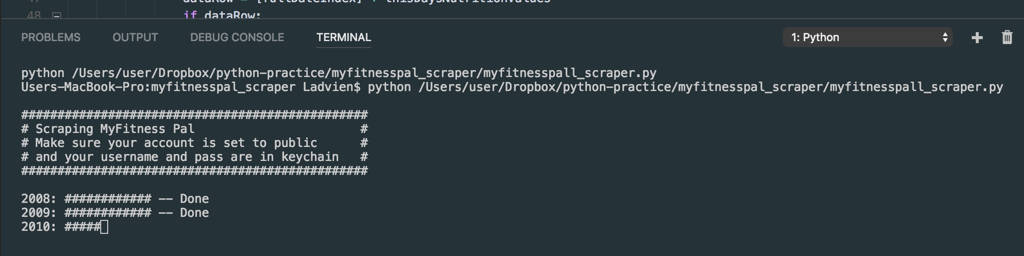
I'm fat. Fatter than I want to be. I've not always been fat, I got down to 180 at back in 2008. It took counting calories and weight religiously. The key piece for me was having a graph which I looked at daily showing my outcomes. Over the course of a year I lost 40 pounds. Well, it's time to do it again. I've gained that 40 back over 10 years--and now it needs to go.

Back in 2008 I was using Google to give me the calories of every item I ate and recording them in an Excel document ...

Filter to Most Recent HUD Assessment

Enrollment.csv

Many of the CSVs in the HMIS CSV may contain multiple rows per client. This can make it difficult when working with HMIS data, as it appears to the non-data person there are duplicates within your data.

Let's look at some dataframes:

enrollmentDf

ProjectEntryID PersonalID FirstName EntryDate
L0TDCLTDEARVHNIQ4F9EDDKXJ764Z65Q ZP1U3EPU2FKAWI6K5US5LDV50KRI1LN7 Bob 10/17/2016
169ACC89JY5SX0U87U7HQ28PMMHNJEXQ IA26X38HOTOIBHYIRV8CKR5RDS8KNGHV Jane 05/05/2015
XB52BYOGJ1YDFESNZVNGDGA58ITDML0A ZP1U3EPU2FKAWI6K5US5LDV50KRI1LN7 Bob 01/01/2013

Notice how Bob has two records? One on 10/17/2016 and 01/01/2013. This represents two HUD Entry Assessments completed on Bob. These HUD Entry Assessments could represent two stays in ...

Read and Write CSVs in R

R let's us work with HMIS data, but there is still the problem of how to load the data into R from a source. R is actually pretty neat regarding data importing. We can load data from a website, SQL database, text file, Excel file, or CSV.

When working with HMIS data the two most common types of data source are Excel and CSV. Therefore, it's going to pay to spend a little time on how to bring those files into R.

Importing CSVs into R

CSV stand for Comma Separated Value format. It is a near ancient file format ...

Working with Dates in SQLdf

Mixing R and SQL is powerful. One of the easiest ways to implement this combination is with the R library SQLdf.

If TL;DR, skip to Coerce Date Types into Strings before Passing to SQLdf at bottom.

SQLdf

The power of SQLdf comes from its ability to convert dataframes into SQLite databases on the fly. To the user, it doesn't appear like anything special is going on, but under the hood R is working together with a SQLite client to create a table which can be queried and manipulated with ANSI SQL calls.

For example,

dataFrame1 <- read.csv(pathToData)
library ...

Creating a List of Domestic Violence Victims

In this first work challenge you will use R and SQL to get a by-name-list of those who are domestic violence victims from an HMIS data pull (5.1).

Data Needed

The HMIS Data Pulls are simply a relational database which are broken into multiple CSVs. These CSVs will change in formatting, as stipulated by HUD. The current version of these CSVs is 5.1. For this work challenge the focus will be on two CSVs.

  1. Client.csv
  2. HealthAndDV.csv

The Client file will contain one row per client and only one row ...

The R and SQL Way

Below is my attempt to describe the method I use to get at HMIS data. In short, I'm mixing two powerful data languages to get answers from a data set quickly.

What is SQL?

SQL stands for Structured Query Language. Which can be translated as, "Asking a question a computer could understand." This computer language was designed to get data off a remote relational database .

A sample of what SQL looks like:

SELECT Data FROM DataSet WHERE Data='BlueEyes'

SQL Pros:

  • Easy to understand
  • Can be learned quickly
  • Powerful in merging data sets

SQL Cons ...

Bluetooth Low Energy in JavaScript

For a long time now I've put off learning JavaScript. It really never interested me. I'd like to say it was the thought, "Oh, JavaScript is for web developers and I'm embedded all the way!" But that wasn't really it. I think it hasn't appealed to me because I couldn't connect it to hardware. Well, at least, that was my assumption.

However, I've recently discovered Google's Web APIs. Specifically, their Bluetooth Low Energy API.

It's pretty amazing. It allows a developer to write asynchronous JavaScript using Promises to get into the hardware of the client's PC ...

Stitching Together HMIS Exports

This is an R script which will take two sets of HMIS 5.1 CSVs and produce a combined set.

A few notes:

  1. A new ExportID will need to be provided.
  2. Each files are deduplicated based upon the Primary Key (ProjectEntryID, PersonalID, etc.)
  3. The Project.csv contains a PITCount which is different based upon the date ranges the two data sets were pulled.  However, the script takes the maximum of the two PITCounts.
  4. It requires HMIS_Functions and dplyr.
    library(dplyr)
    # hmisFunctions <- "/Users/user//Dropbox/HMIS/HMIS_R_Functions/HMIS_R_Functions.R"
    # dataPathOne <- "/Users/user//Dropbox/HMIS/R HMIS CSV Set Merger/HMIS Data ...
Lumi4 -- MVVM

One of the issues I've had in the past with the Lumi projects is manageable UI.  The project will start out pretty straight foward, but soon, I'm switching between device types, checking if hardware is ready, and routing callbacks based upon the device selected.  It becomes spaghetti code quick.  On Lumi4, I've decided to bite the bullet and implement MVVM .

After about 20 hours struggling with setting up Lumi4 as an MVVM project I've dervied two conclusions:

  1. It's possible
  2. Apple spoils developers with MVC baked into Xcode

MVVM in C# and UWP isn't simple.  It seems like there is a ...

Lumi4 -- Unit and Integration Tests

Unit and Integration Testing

I mentioned in an earlier entry that I had the hardest time differentiating between unit and integration tests.  But this distinction was critical for implementing tests which could cover frameworks designed to interact with embedded systems.  At least, in my perspective.  Below is an outline of how I'm structuring tests for the Lumi4 code base.

Lumi4.Tests

The unit tests namespace will contain all tests which cover methods which can be operate independtly, without communication of any other system then the program itself.

For example,

    [TestClass]
    public class Constructor
    {
        [TestMethod]
        public void WifiCentralManagerConstructor_Null_Exception()
        {
            bool ThrewNull = false ...

source(hmisFunctions)

# Time period: 1/1/2016-12/31/2016
# Include 
# Active in emergency shelter
# Active in transitional housing

setwd(hmisDataPath)
client <- loadClient()
enrollment <- loadEnrollment()
project <- loadProject()
exit <- loadExit()

enrollment$EntryDate <- as.character(enrollment$EntryDate)
exit$ExitDate <- as.character(exit$ExitDate)

targetEnrollments <- sqldf("SELECT *
                        FROM enrollment
                        WHERE EntryDate < '2016-12-31'
                        ")

targetExits <- sqldf("SELECT *
                    FROM exit
                     WHERE ExitDate < '2016-01-01'
                     ")

activeEnrollment <- getActiveHudEnrollments(targetEnrollments, targetExits, project)
activeEnrollmentSelect <- sqldf("SELECT PersonalID, ProjectEntryID, ProjectType, EntryDate, ExitDate FROM activeEnrollment")

transitionalHousing <- sqldf("SELECT *
                                  FROM activeEnrollmentSelect
                                  WHERE ProjectType = 2
                                  ")

thPersonalIDs <- sqldf("SELECT DISTINCT(PersonalID) FROM transitionalHousing")

remove(list=c("targetEnrollments", "targetExits", "activeEnrollment", "activeEnrollmentSelect", "transitionalHousing"))

################
# ES LTB Count #
################
ltbESEnrollment <- sqldf("SELECT ...
Choropleth and Heatmaps for HMIS Data

# Mac PC
nameOfReport <- "Homebase_Report.R"
hmisDataPath <- "C:/Users/Ladvien/Dropbox/HMIS/Warehouse/All Projects 2016 -- 10-01-2013 to 02-17-2017 -- HMIS CSV 5.1"
vispdatDataPath <- "C:/Users/Ladvien/Dropbox/HMIS/Coordinated_Entry_Report/VI-SPDAT and HUD Flat Export for SQL -- 3-6-2017.xlsx"
staffInfoDataPath <- "C:/Users/Ladvien/Dropbox/HMIS/Coordinated_Entry_Report/Staff Contact Info for SQL -- 3-6-2017.xlsx"
executionPath <- "C:/Users/Ladvien/Dropbox/HMIS/Coordinated_Entry_Report"
hmisFunctions <- "C:/Users/Ladvien/Dropbox/HMIS/HMIS_R_Functions/HMIS_R_Functions.R"
hmisGraphsPath <- "C:/Users/Ladvien/Dropbox/HMIS/Warehouse/TX-601_Graphs"
source(hmisFunctions)

enrollment <- loadEnrollment(hmisDataPath)

##############################################
############## Point Map #####################
##############################################

# https://thedhrelay.wordpress.com/2014/04/08/creating-a-density-map-in-r-with-zipcodes/

library(plyr)
library(ggmap)
library(zipcode)

personalIDsAndZips <- sqldf("SELECT ...
Veteran's Report 2.0

#homebaseFunctionFilePath <- "C:/Users/Ladvien/Dropbox/HMIS/Homebase_Function/Homebase_Function.R"
#nameOfReport <- "Homebase_Report.R"
#hmisDataPath <- "C:/Users/Ladvien/Dropbox/HMIS/Warehouse/All Programs -- 5.1 -- 12-1-2016 to 2-28-2017"
#vispdatDataPath <- "C:/Users/Ladvien/Dropbox/HMIS/Coordinated_Entry_Report/VI-SPDAT and HUD Flat Export for SQL -- 3-6-2017.xlsx"
#staffInfoDataPath <- "C:/Users/Ladvien/Dropbox/HMIS/Coordinated_Entry_Report/Staff Contact Info for SQL -- 3-6-2017.xlsx"
#executionPath <- "C:/Users/Ladvien/Dropbox/HMIS/Coordinated_Entry_Report"
#hmisFunctionsFilePath <- "C:/Users/Ladvien/Dropbox/HMIS/HMIS_R_Functions/HMIS_R_Functions.R"
#homebaseFunctionFilePath <- "C:/Users/Ladvien/Dropbox/HMIS/Homebase_Function/Homebase_Function.R"
#outputPath <- "C:/Users/Ladvien/Dropbox/HMIS/Warehouse"
#veteranMasterListTemplateFilePath <- "C:/Users/Ladvien/Dropbox/HMIS/Veteran Report 2.0/Veteran_Report_v2/Master-List-Template ...
Coordinated Entry By-Name-List using HMIS CSV 5.1, R, and SQL

This is a build out of TX-601's Coordinated Entry By-Name List.  The report is written using SQLDF inside of an R environment.

Homebase Function

homebase <- function(
  hmisDataPath,
  vispdatDataPath,
  staffInfoDataPath,
  executionPath,
  hmisFunctionsFilePath,
  viSpdat2DataPath,
  clientContactInfoPath) {

  library("tcltk")

  # Load the weights for progress bar
  loadingPackagesIncrement <- 2
  loadingHMISDataIncrement <- 10
  addDisabilitiesIncrement <- 5
  householdIdIncrement <- 4
  calculatingAgeIncrement <- 1
  gettingEnrollmentsIncrement <- 10
  gettingStaffInfoIncrement <- 5
  calculatingCHIncrement <- 10
  addVispdatIncrement <- 5
  getFamilyWithChildIncrement <- 5
  loadServicesIncrement <- 15
  nbnStaysIncrement <- 5
  outreachContactsIncrement <- 5
    outreachAndNbnCountIncrement <- 5
    clientContactinfoIncrement <- 3
  makeHmisCodesReadableIncrement <- 2
  formatHomebaseIncrement <- 1

  # Find the progress bar max.
  total <- (loadingPackagesIncrement +
              loadingHMISDataIncrement +
              addDisabilitiesIncrement +
              householdIdIncrement +
              calculatingAgeIncrement +
              gettingEnrollmentsIncrement +
              gettingStaffInfoIncrement +
              calculatingCHIncrement +
              addVispdatIncrement +
              getFamilyWithChildIncrement +
              loadServicesIncrement +
              nbnStaysIncrement +
              outreachAndNbnCountIncrement +
              makeHmisCodesReadableIncrement +
              formatHomebaseIncrement +
              clientContactinfoIncrement
  )
      # Initialize progress bar ...
Lumi4 -- LumiCommunication

Lumi Communication

This namespace contains the serial device handling functions.  The goal is to have two abstract classes which define the interaction between the main device and the peripheral  These two classes will be responsible for searching, connecting, exchanging data, closing connections, and device failure handling.  To get going I'm going to take some advice from Mythical Man Month: "Show me your flowcharts and conceal your tables, and I shall continue to be mystified. Show me your tables, and I won’t usually need your flowcharts; they’ll be obvious."  Well, I don't have tables, so I guess my charts ...

Lumi4 - init()

Lumi4

This is the next iteration in a three year project.  Here are the current iterations:

  1. Vorpal Hoff -- an attempt at wireless uploading with a HM-11 and LPC1114 combination.  Written in C / C++ (Initialized May 22nd 2014).
  2. HM-1X Aid -- this project was meant to be a GUI on top of the HM-1X modules, allowing "easy" editing of the module's behavior.  It was my first venture into C#.  (It's sooo bad;although, the serial communication was asynchronous.) (Initialized Dec. 19th 2015)
  3. Lumi1 -- this the first successful TinySafeBoot uploader.  It was written in C# using the .NET WinForms.  Unfortunately, it was synchronous ...
Lumi3 Debriefing Notes

C# Learning Journal: Refactoring Lumi

Lumi Uploader

I’ve been working on writing my own flash UART uploader since May 2014. Originally, I was trying to write an uploader in C using the GCC compiler. The idea was to upload a Intel HEX file compiled for the LPC1114 to the uC remotely, using a Bluetooth LE connection. Here’s a description of the custom circuit board designed for the project:

* Valdez Mutant Board

Unfortunately, the project was out of my league. After spending months writing C code there it was not usable. Of course, learned a lot about C in ...

JPS DSRIP Report V2.0

JPS DSRIP Report V2.0

options(java.parameters = "-Xmx14336m")  ## memory set to 14 GB
library("XLConnect")
library("sqldf")
library("tcltk")

startDate <- "2015-10-01"
endDate <- "2016-09-30"

df <- readWorksheetFromFile("JPS_Raw_Data.xlsx", sheet = 1, startRow = 2)

#sampleVector <- sample(1:nrow(df), 30000)
#df2 <- df[sampleVector,]

#write.csv(df2, file="Sample of JPS_Raw_Data (30000).csv", na="")

#df3 <- read.csv("Sample of JPS_Raw_Data (30000).csv")

### Formatting ###################################
df3[is.na(df3)] <- ""
df3$Participant.Enterprise.Identifier <- gsub("-", "", df3$Participant.Enterprise.Identifier)
colnames(df3)[2] <- "peid"
colnames(df3)[5] <- "CaseNumber"
colnames(df3)[7] <- "Gender"
colnames(df3)[8] <- "Race"
colnames(df3)[9] <- "Ethnicity"
colnames(df3)[10] <- "ProgramName"
colnames(df3)[11 ...
Identifying Chronically Homeless and Veteran Participants throughout a COC

This is my attempt to write SQL against the HMIS 5.1 CSVs.  It includes:

  1. Identifying Chronically Homeless (CHP) Participants enterprise Wide
  2. Identifying Veterans (Vets) enterprise wide
  3. Sorting CHPs and Vets to identify those who've exited the literal homelessness and where they went.
  4. Sorting CHPs and Vets to identify those are still in the literal homelessness
  5. Filtering to Active Participants in Projects using Entry / Exit
  6. Filtering to Active Participants in Projects using NBN
  7. Getting total NBN stays by participant

To actualy get anything done through writing SQL against these CSVs, one will need the HMIS Vendor CSV Specifications

Current HMIS ...

Sampling Large Data

This R function allows sampling of a dataframe.  This is helpful when writing a script which will be used against a large dataframe, however, writing the script is iterative.  Sampling allows the overall reduction in time of testing iterations, without losing the validity of realistic results.

    options(java.parameters = "-Xmx14336m")  ## memory set to 14 GB
    library("sqldf")
    library("XLConnect")
    library("tcltk")

    df <- readWorksheetFromFile("Data_X.xlsx", sheet = 1, startRow = 1)

    sampleVector <- sample(1:nrow(df), 30000)
    df2 <- df[sampleVector,]

    write.csv(df2, file="Sample of Data_X (30000).csv", na="")

Lumi3

This project is meant as stepping stone to implement Lumi2.  The Lumi projects I've been working on are over-the-air uploaders of Arduino / AVR programs to Atmega and Atiny chips which are programmed with the TinySafeBoot bootloader.  The goal is to allow the user to select either WiFi or Bluetooth, create a connection to either an ESP8266 or HM-1X device, and upload whatever program to an AVR connected to the wireless receiving device.

The last iteration of Lumi was written in Windows Universal Apps SDK.  Unfortunately, the code-base turned into spaghetti.  I've diagnosed the issues to be due to God-modules ...

Splitting Program Data

options(java.parameters = "-Xmx14336m")  ## memory set to 14 GB
library("sqldf")
library("XLConnect")
library("tcltk")

# 1. Load all PoS 
# 2. Load all NBN stays
# 3. Find all PEID's who have had a PoS in the last year
# 4. Find all PEID's of those who have stayed in a NBN bed in the last year
# 5. Append the lists and get a distinct set of PEIDs
# 6. Load family and individual demographic information
# 7. Inner join the demographic data to the distinct PEID set.
# 8. Write all information to file.
# 9. Pray.


allNBN <- readWorksheetFromFile("All TCES NBN Bed Data ...
Robber Board

The Robber Board

This board originated with a request from an LPC who was practicing EMDR and wanted to upgrade his feedback machine.  He had requested it be wireless and provide both haptic and visual feedback.  The whole thing fell apart when he sent me an NDA which seemed typical of real professional level projects.  However, it would have prohibited me from sharing anything I discovered, and given the amount I could have made from it, well, it just wasn't worth it.  I thought I'd finish the project and share with everyone, since sharing is the greatest form of payment ...

R Function to Split CSVs

This is an R function written to split a dataset into particular sized sets, then write them as a CSV.  Often, our office is need a quick way to split files for uploading purposes, since our HMIS software doesn't handle large uploads well.

For example:

splitDataAndWriteFiles(df, 500, "My_Data")  

Will produce X number of files named "My_data_X.csv"

options(java.parameters = "-Xmx14336m")  ## memory set to 14 GB
library("XLConnect")

# Function to split files.
splitDataAndWriteFiles <- function(df, chunkSize, nameOfFiles) {
  success <- FALSE
  count <- 0
  while (!success) {
    # If you want 20 samples, put any range of 20 values within the range of number ...
Shaping and Combining HMIS Data from ETO

Continuing to explore R and SQL's usefulness when it comes to HMIS data I decided to start posting HMIS problems and R and SQL solutions.

Problem:  Our HMIS implementation has had three shelters entering data into one partition.  This has been a lot like mixing three different colors of sand into one bucket--much easier to put in then sort out.  It is also a problem since HUD requires Emergency Solution Grant (ESG) recipients to provide an annual standardized report, known as the CAPER, on data defined by the HMIS Data Dictionary . These data elements are referred to as Universal Data ...

Attachment III, aka, The Zombie

Continuing to explore R and SQL's usefulness when it comes to HMIS data I decided to start posting HMIS problems and R and SQL solutions.

Problem: One of our Emergency Solutions Grant (ESG) funders requires the subrecipients to produce a report of all the participants which receive services from the shelter.  This requirement was written into the contract the ESG funders have with the subrecipient.  This worked somewhat in 2011 when it was implemented, however, it is 2016 and the data which is queried against to produce the report is well over 1.3 million entries.  These data are generated ...

HMIS, R, and SQL -- Basics

Hacker Introduction

I'm a hacker .  If you find errors, please leave comments below.  If you have an opinion I'll hear it, but I'm often not likely to agree without some argument.

Joins (Merging Data)

Probably the best part of R and SQL is their ability to quickly combine data around a key.  For example, in HMIS CSVs the Client.csv contains a lot of demographic information and the Enrollment.csv contains a lot of assessment information.  This makes it difficult when needing a count of the total participants who are veterans and disabled, since the veteran information is in Client ...

HMIS, R, and SQL -- Introduction

"I love our software, I love our software."

I'm a HMIS Database Manager for a living.  It's a dream job--all the nerdy stuff, plus, there is a possibility I'm helping people.  Currently, one area our software really lacks is quickly generating complex reports. It has the ability, but the servers are laggy, it crashes often, and a project which should take 20 minutes will take 50 minutes to 40 hours depending on the "report weather."  These issues are probably caused by the reporting platform being web-based and calculations done server-side.  Regardless, given the amount of time the staff are eating ...

ETO REST API in Swift -- Enterprise, Site, and Program Select

  1. Unwrap SSOAuthToken.  Else, handle error.
  2. Create request from webservice and SSOAuthToken.
  3. Make a GET request.
  4. Async-wait for response
  5. Unwrap response data.
  6. If GET request returned 200-299, request was success. If failed, handle.
  7. When successful, convert the return JSON data.  If failed, handle.
  8. Get Enterprise Names and enterpriseGUUID string from JSON data.
  9. Add the enterpriseGUUID string to a Dictionary using the Enterprise Names as the Key
  10. Call completion callback meothd with parameter "Success"
public func getListOfEnterprisesAvailable(currentSessionInfo: SessionInfo, completion: @escaping (_ response: ReturnInfoWithDictionary) -> Void){

    let SSOAuthToken = currentSessionInfo.SSOAuthToken!

    var returnInfo = ReturnInfoWithDictionary()
    var enterpriseDictionary = Dictionary<String, String>()

    let GetSSOEnterprisesService = "https://services.etosoftware ...
ETO REST API in Swift

Logging in to ETO

This code base has become a bit of a pet project.  It uses Alamofire to create GET and POST requests against Efforts to Outcomes REST API. This enables native applications to interact with our Homeless Management Information System ( HMIS ) database.  I've been coding it to practice the craft.  Also, there are a few operations in our continuum of care which could be improved by creating native applications, as opposed to using webapplications.  For example, street outreach teams are often without their computer, given the bulk.  But rarely is a street outreach specialist without a mobile device ...

How to Build a Robotics Digital-Hackerspace

Some HTML

Why the Hell?

LeavingLMR.jpg

Wow, it's been awhile since I've actually written anything in Drupal based text editor.  Feels like home.

Honestly, I'm not going to go into the "Why" of building this site.  Maybe I'll do that later.  Let's just say, there was an impetus to recreate the home we were forced to leave.

How the Blink?

Spinning Up a Server:

The first thing was deciding on a server.  I didn't have much (um, any) experiencing in spinning up a server.  But after a bit of reading, checking the bank account, and finding what would work for Drupal ...

Lumi

Update 3/29/2016

I've begun re-writing the entire program as a Windows App. Not really my choice. It seems the BluetoothLE API Microsoft has thrown together (for-real-doh, it's super bad) is most easily adopted under the Windows Universal App toolchain.

Anyway, here's the resting space of the new projects

Lumi

Lumi for Desktop

Where I come from they having a saying: "Video or it didn't happen." I've always liked that saying. It means we have to put our work where our typing is. Here is a video of the uploader I wrote to interface with the TinySafeBoot AVR two-wire ...

Lab Controller v05-09

Revising Board

This is an extension of previous work. I had finished a LED driver for the lab, hooked it up, and found it was a fire hazard. For the amount of lumen I wanted out of them I was having to set the current resistor to .47ohm. This was pushing nearly 2amps of current through the little FQP40N06L . The LEDs were bright, but immediately the TO-220 became too hot to touch. Two choices, either redesign or use less current, resulting in dimmer LEDs. Easy choice, redesign.

The first thing I realized was I need a heat-sink. Ironically, I had ...

TinySafeBoot, Arduino, and Wireless Upload to ATtiny85

The Dream

I've dreamed of a PCB with everything: uC, H-bridges, PSU, Lipo charger, inductive power collector, and a wirelesss device which would allow wireless uploading to the uC. A platform I could use for robotics and wearable projectss alike. Most of these features I have solved, yet one which I believed to be ever elusive to a hacker is wireless uploading. I've had lot of failed attempts, some as painful as writing my own uploader for the LPC1114, others as "simple" as hacking away at the Arduino IDE source. However, I've found a combination which brings me a bit ...

Jazzy, Jekyll, and Swift 2.1

I wanted to take a a moment and write out how I plan to document future Swift projectss.

Step One: Install

I found Jazzy . It's a command line utility for documenting Xcode projectss. Nifty thing is, it is one of the few which works with Swift 2+. Anyway, it is pretty painless to get up and going.

The one catch I found was Swift is changing versions often, so you may have to wait a bit for the developers to catch up. However, when the updates are released it is pretty easy to get things working again, simply run, sudo ...

HM-1X Aid

Overview

Well, I've had the urge to hack. It's been strong for awhile now, sadly, with a more than fullt-time job and Bek in graduate school, I've just had no time. Until now! The new job I have (HMIS Database Manager) has actual vacation time. I've had almost two weeks off (combined with the Christmas holiday). The first few days were obviously spent working... But! After turning my phone and email I was able to...catch up on family time. Sigh. Then, clean house. Then, get bored. But with a few days left I actually got some hacking in.

I ...

iOS Serial Manager

Apple doesn't like robots.

It's strange, since they have some great hardware and some excellent software.  But alas, trying to get a robot to connect to any iOS product is like asking Steve Jobs to come to dinner; you'll get your hopes up, but, alas, he's dead.  So, short of a necromancy and some Frebreeze, it's not going to happen.

But, I've found the backdoor to getting your iOS device to help your robot, and my friend, I'm going to give you the key.

Those little HM-10 Bluetooth Low Energy PCBs that I've written about for so long.  Those combined ...

Lab Controller PCB

A little lab controller PCB I'm working on.  It centers around four high-power constant current circuits meant to be driven by an Atmega328's PWM.

I hate working on anything mechanical in dim light; comes from dropping parts down under the engine when working on cars.  I'm also pretty particular about my type of light.  The "Cool White" or CFLs really bother me. I feel like I'm a bug headed towards a bug-zapper.

I have a few design goals,

  1. Warm white is the way to go.  I'm shooting for four 1k lumen warm-white LEDs at 12v at ~1A.
  2. I've a plug ...
Command Line Menu in C

Originally posted on www.letsmakerobots.com

Nostalgia

I wanted to post this simply because it working on it brought my a dry nostalgic joy. When I was young, 8-9, my parents got a old computer. All I remember was its screen was orange and black; having a Hercules graphics card . I quickly learned to get around from the command prompt. But I was always thrilled to run into menu driven program. It was like going to a fancy restaurant of abstractness. Anyway, when I wanted my code to slow down a bit and branch directions based upon user input, a ...

FTDI in C

Originally posted on www.letsmakerobots.com

Part of my C journal -- Writing an LPC1114 bootloader

Setting Up the GCC Compiler

I setup a C environment as basic I could. There may be easier ways to go about this, but I wanted to use GCC to compile.

To setup the environment:

1. I downloaded and setup MinGW32 .

2. I then downloaded FTD2XX libraries . This included the ftd2xx.h file and ftd2xx.lib .

3. I then stole the test code from Hack-a-Day's article on bitbanging with the FTDI .

4. I modified the code as they suggested by including, in this order, the ...

UUEncode in C

Originally posted on www.letsmakerobots.com

I want to take a moment to thank Bdk6 . The man is a walking Stack Overflow, with more patience for stupid. I doubt I'd understand any of this without his guidance.

I thought I'd take some time away from coding my LPC1114 Uploader and verbally process a few things I've learned. As always, feel free to critique any of it; it'll only serve to make my code more robust in the end.

This post will be a series of post leading up to the large post I'll make on writing the uploader. All posts ...

Intel Hexfile to Array

Originally posted on www.letsmakerobots.com my_uC_icon_5_300x300.png

Not All Those Who Wander are Lost (but I am)

I thought I'd take some time away from coding my LPC1114 Uploader and verbally process a few things I've learned. As always, feel free to critique any of it; it'll only serve to make my code more robust in the end.

This post will be a series of post leading up to the large post I'll make on writing the uploader. All posts will rely on the GCC compiler.

Setting Up the GCC Compiler

I setup a C environment as basic I ...

The Valdez Mutant -- LPC1114 QFN

Originally posted on www.letsmakerobots.com

Valdez Mutant Files

This is a little board I made in anticipation of Mr. Bdk6's toolchain for the LPC1114.

This toolchain is amazing. Really, if you are wanting to break away from Arduino / AVR, into the ARM chips, Bdk6's toolchain for the LPC1114 is the way to go.

The Valdez Mutant v04

The chip has ROM boot loader. This allows you to program the chip right out of the box. The programming is done over the traditional serial line. Most ARM chips require a JTAG programmer, which are usually a $50 investment. This ...

iOS to µC Using HM-1X in Objective-C

Originally posted on www.letsmakerobots.com

(This node will probably float a bit, have lots of work to do on it. My apologies.)

I'd been wanting to create a bridge between Arduino and iOS for awhile. Not going to lie, not a huge fan of iOS devices, but since my wife won an iPad Mini I've begrudgingly accepted they fill a need. Still, my hacking has orbited robotics and any device I can't connect to a robot frustrate me. Well, a year ago I realized an iPad Mini would connect to an HM-10 , and therefore, robot.

Sadly, the app used ...

FTDI Bitbanging GCC

Originally posted on www.letsmakerobots.com

This is a short note on how to setup a C programming environment for the FTDI chip in bit banging mode, since that's what I had difficulty doing.

There may be easier ways to go about this, but I wanted to use GCC to compile a small C program to control the 8 IOs. The purpose was to write a small command-line program that would reset my LPC1114 before and after programming.

To setup the environment:

1. I downloaded and setup MinGW32 .

2. I then downloaded FTD2XX libraries . This included the ftd2xx.h file ...

LPC1114 -- GCC Toolchain Setup

Originally posted on www.letsmakerobots.com

UPDATE: I tweaked the source and rebuilt lpc21isp to allow for automatic mode switching, bootloader and program, from an FTDI breakout.

A few months ago Bdk6 sent me an LPC1114 ARM processor. Not going to lie, I had little idea how to use the chip.

Bdk6 and his kids had created the Valdez family with the chip:

I tried several IDEs to get the chip going. I wasn't happy with any of them.

LPCXpresso was confusing and intimidating. Since I was trying to learn the chip and a new IDE. Add ...

Kossel Mini Calibration

This is a continuation of my Robot Metallurgy 101 -- AVR Lesson Journal

This is the second part of my Kossel Mini build log

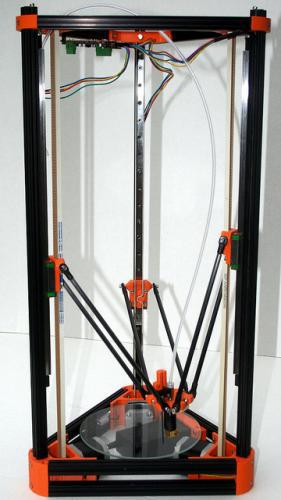
When I made my mind up to build a 3D Printer I knew I was in for a ride. I knew I was going to spend an insane amount of time calibrating the damned thing. Well, my overestimation was nowhere near the truth. I've spent literally days calibrating this damned machine. Mind you, a lot of it was because I refused to "RTFM." But the other part was because there doesn't ...

Kossel Mini Build

Originally posted on www.letsmakerobots.com

I thought I should give my Kossel a "Robot" page, since Silas asked what the Kossel was, and I told him, "A 3D Printer," to which my precocious son replied, "No, it's a robot."

A lot of the information here is a copy from my build blog, but I've re-thought it's presentation slightly, since there preexist two build guides for the Kossel.

  1. Blokmer's Kossel Mini Build Guide
  2. builda3dprinter's Kossel Build Guide

Both are put together by organizations selling Kossel kits. Blokmer's guide is much more detailed and slow paced. Of course, I purchased my ...

Metallurgy 101 - AVR UART

This is a continuation of my Robot Metallurgy 101 -- AVR Lesson Journal

I started looking through Newbie Hack's tutorials on AVR trying to work up the energy to tackle First LCD Program . Many don't know this, but I despise workings with LCDs. I think it is two parts, one, I live in a world with high-resolution screens embedded in everything from coffee-machines to toilets . Trying to settle with an old school LCD doesn't cut it for me. Furthermore, wiring a non-serial interface LCD is a ever loving pain.

But looking at the rest of the Newbie Hack ...

Metallurgy 101 - AVR PWM

Originally posted on www.letsmakerobots.com

This is a continuation of my Robot Metallurgy 101 Lesson Journal .

After I was able to get my motors moving using the SN754410 I became a little obessessed with understanding AVR PWM architecture. There are several tutorials that helped me a lot:

  1. Newbie Hack's "Intro to PWM."
  2. Newbie Hack's "Control a Servo with PWM."
  3. humanHardDrive's " PWM "
  4. maxEmbedded's " AVR Timers -- PWM MODE "

In the end, I ripped maxEmbedded code and got my PB3 LED working in about 10 minutes. Then, I spent the next three evenings reading trying to figure out what maxEmbedded's code was ...

Scarab

Originally posted on www.letsmakerobots.com

UPDATE: August 10th, 2014

I printed a body and added BLE. I'll explain tomorrow after I get some rest, but the BLE was to allow me to test directed locomotion. I've also done some feature testing (load-sharing, charging circuit, "hunger" ADC), the board is actually a good design. Works well.

The BLE is the HM-11, itty-bitty BLE.

My goal is to test the physical and feature designs with the ATtiny84, and when Mr. Bdk6 releases his toolchain for the LPC1114, switch it as the controlling chip.

This is my version of Yahmez' Baby Bot ...

Advanced(ish) HM-10

Originally posted on www.letsmakerobots.com

Here are some random notes on working with the HM-10.

  1. Working RX/TX LEDs
  2. How upgrade the HM-10
  3. Pseudo Star-Networking HM-10s

Working RX/TX LEDs

I spent some time trying to find a way to create RX/TX traffic LEDs for the HM-10 breakout. This might be easy for some, but it was a real thinker for me. The HM-10 is TTL, which as it was explained me, means that the line is high while idling and low to represent data. The problem here is the typical LED setup doesn't work. Sadly, this is ...

Kobold

Originally posted on www.letsmakerobots.com

Kobold Files

Awhile back Sparkfun posted a new product, their MiniMoto breakout board. It breaks out the DRV8830 IC, which is a serially controlled (I2C) H-Bridge. I thought the chip was nifty. A few problems though,

  1. Sparkfun's breakout was 25x25mm for one bridge. If I added another and then an Arduino Pro Mini it'd lose smallness.
  2. It's $9.95
  3. It's not on a purple board :)

So, I set out to make a robot controller with it that was smaller than a Sparkfun breakout. What I ended up with is a little bitch I refer ...

Metallurgy 101 - AVR Lesson Journal

This is a continuation of my Robot Metallurgy 101 -- AVR Lesson Journal

UPDATE: Now with UART(ish)! (3/2/2014)

  1. Robot Metallurgy 101: PWM
  2. Robot Metallurgy 101: UART

I thought I would journal my work as I begin to venture from the comfortable playground of Arduino C and IDE.

I've tried a few other IDEs and C++ to work with different chips. But each time I realize I don't know enough about C/C++, tool-chains, and workspaces to make a robot with them.

Bdk6 gave me an LCP1114 and I was able to get a blink program ...

ATtiny Bitsy Spider

Originally posted on www.letsmakerobots.com

ATtiny Bitsy Spider

UPDATE: Added BOM corrections. (Sorry for floating.)

Ok. Here's a finished board I've been working on for a bit.

In essence, it is a BLE node board. It combines an HM-10 board with an ATtiny 85. This board builds off:

  1. Bluetooth 4.0 (HM-10)
  2. ATtiny 85

The idea of the Bitsy Spider board is diminutive controller node. I wanted it to be cheap and versatile enough to use as a node, but I think the final price is around $11 each.

Here's the ole GitHub:

The ...

OLED via I2C

Originally posted on www.letsmakerobots.com

imagesI guess it's been an I2C weekend. I found these organic light-emitting diode displays (OLED)images imagesat Itead studio for $5. images

imagesNifty little buggers.images

They might be small, but their extraordinary contrast and viewing angle more than make up for it. Plus, I mean, c'mon, they're $5. I will say I was a little annoyed that they operate at 3.3v. And I'm sure this means I'll be making a small little level converter board for them pretty soon. I estimate the converter board would be around $1.25, simagestill a good ...

ATtiny Adventure -- I2C on ATtiny 84/85

Originally posted on www.letsmakerobots.com

Code

UPDATE: Added info on making SPI programming jig (makes life a lot easier).

UPDATE: Added ATtiny 84 info (though, the post is meant for the ATtiny 85).

I've been non-traditional microcontroller curious for a bit. Then, I had to put a Digi-Key order together for some real cheap stupid stuff (some SOT-23 N-Channels for the LiPo charger circuit) and I thought, "What the hell, let's order some ATTiny 85s." Being cheap like I am, I ordered SMD:

I then ran over to OSHPark and made a little ...

A Friendly Overlord

Originally posted on www.letsmakerobots.com

I've been working on this one in silence for a bit.

Awhile back it hit me, before I started growing my Overlord project in complexity I wanted to refine it for ease-of-use. Therefore, I began translating my Overlord project into a Python module I could build off.

A Friendly Overlord

I figure, this would make it easier for anyone to use. This includes myself, I've not forgotten my identity as a hack, nor will anyone who pops the hood on this module :)

But, at its core, there are few essential inputs:

  1. Color to track ...
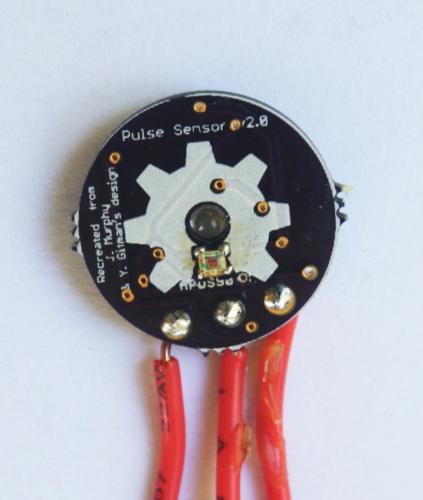
Homemade Pulse Sensor

Originally posted on www.letsmakerobots.com

I've been working on re-making the the Open Hardware Pulse Sensor so it'd be easy to send off to OSHPark and to make at home. I'm not sure, but I think I started this projects in March and I've just now finished it.

The bit of encouragement I needed was when hackaday.com put it up as their " Fail of the Week. " I thought I was going to be mature about it. But those four red letters started eating at me, so I gave it another go. Weirdly, I got it working.

I believe ...

Originally posted on www.letsmakerobots.com

Videos:

UPDATE: 1/05/13

New angle. I finished my ATtiny Bitsy Spider ( ABS ) board and wanted to do something with it. While stringing it together I had thought of replacing the Arduino Pro Mini and the Servo Helper board with the ABS. Costs wise, it will be slighty more expensive ($1.50 or so?) but much smaller and a lot less hassle.

I've read several people had mixed results getting an ATtiny to control servos. Of course, I'm no better. But I was able to get acceptable functionality out of them (i.e ...

Dot Muncher

Originally posted on www.letsmakerobots.com

I threw this little guy together for my son Silas because he wanted to play with dad's "Wobot." There's not a lot to say about him, he's a hodgepodge of parts I had lying about:

  • HDPE Bought at the Dollar Store for $2 (I guess that's the Two Dollar store.)
  • 3-6v 400 RPM Geared Mini Motors: $8
  • Two wheels from eBay: $2
  • 4-40 bolts, nuts, and washers (local): $4
  • Arduino Uno: $9.85
  • Ardumoto Shield: $11
  • Bluetooth 4.0 Module: $9
  • 4 x NiHM lying about: $0
  • 1 x Free Sunday morning

Total: $36 ...

Overlord

Originally posted on www.letsmakerobots.com

NOTE: Try as I might, guys, I can't get the numbers to line up in my HTML version of my code. Instead, you might just load it into Geany or Notepad+ to follow along, since I indicated things by the line number. I'm sorry, I'm out of patience for it.

These are redneck instructions on how to control a robot with a static webcam for under 50 USD.

I'm a robot builder and I got tired of seeing universities play robot soccer or something with computer vision guiding their players, and no matter how ...

HM-10

Originally posted on www.letsmakerobots.com

  • UPDATE: 7/6/14 -- Silkscreen corrections.
  • UPDATE: 6/1/14 BOM Corrections.
  • UPDATE: 4/2/14 -- Corrected information and linked the new breakout board, v.9.9

Also, this fellow is working on open-source firmware for the HM-10 .

UPDATE (2/514): I split this post, since it's getting a little sluggish.  I've updated the breakout board versioÂn v.9.9, have instructions for updating the firmware, and added some research notes on a pseudo-Star-Network.

UPDATE (11/23/13): I've added research notes on networking the HM-10s and an ATtiny 85 serial ...

Incomplete Works

Originally posted on www.letsmakerobots.com

I'm posting this collection out of frustration and perhaps defeat. I've been working on several projectss for the last two months, trying to finish something. I'd gotten addicted to that "It works!" moment I think anyone gets when they see a LED blink. Sadly, I feel I've failed at most of these projectss.

The second reason I post is posterity.

I've grown to appreciate failure, given how much I learn from it. Of course, I'd much rather learn from other's failures. So, I figure I'd try to write up all my blunders for others ...

Originally posted on www.letsmakerobots.com

UPDATE: I discovered the link I had was referring (which is the true stock image) is unuseable unless update and upgrade are run. Sadly, you can't do that with a 2gb image. Regardless, I've switched the image to the updated (as of writing this) Angstrom image. Please double check and make sure you've got the latest image:

http://beagleboard.org/latest-images

Replace the paths in steps 8 & 10 (but I'll try to keep it up to date). Again, it is unfortunate but you need a 4gb or greater microSD to use these instructions.

**MAIN ...

Beaglebone Black

8/25/13:

This fellow here has made some pretty nifty walkthroughs on the rtl8192 and the Chronodot (DS3231) RTC on the Arch Linux. Though I've not attempted his instructions (been burnt out on this board) I believe his instructions will get a reliable WiFi connection with the rtl8192, using Arch Linux, on the B^3.

Also, when I get the energy, the pinout at the bottom of this page has a mistake or two. As Zaius pointed out.

EDIT: Ok. Don't use the pinout until I research more. I'm getting conflicting information ...

OpenCV on a Raspberry Pi

Originally posted on www.letsmakerobots.com

Code

No longer afeared of frying my Pi, I've moved on to trying to implement some of my bot goals. Like many, I want my bot to be able to interact with people, but I didn't realize that I'd stumble on this ability.

I've looked at many visual processing boards like the CMUcam v4 , but I'm not paying $100 for any board. I looked into making one, it looks possible, but not much cheaper. So, I got curious as to what alternatives there are. I stumbled on Hack-a-Day's recommended article: OpenCV on Raspberry Pi ...

Pi Power -- How I Made a Battery Powered USB Hub

Originally posted on www.letsmakerobots.com

As I prepare to start adding peripherals to my Pi Bot, I wanted to be sure to get around the 700ma power budget the Pi has. After searching for a cheap battery powered USB hub and finding little, I decided to hack up a few cheap(ish) parts and make my own.

  1. USB Hub : $1.39

  2. 5000mAh Battery : $17.93

  3. DC-DC Converter : $2.76

Total: $22.08

The Battery Hack:

1. Crack it open.

2. Find POWER and GND.

3. Wire it up.

4. Make a small hole for wires and bring wires out ...

Blueberry Pi -- How I Setup My Raspberry Pi as a Robot Base

Originally posted on www.letsmakerobots.com

This article is specific: How I personally would setup my Raspberry Pi to act as robot base. But, I'll be clear, this is one of nth possible setups. A chessboard has 64 squares but those working the board allow for innumerable possibilities.

That aside, here we go:

1. Get Berryboot. Berryboot will allow you to download several Raspberry Pi images.

Now extract the zip files to a blank SD card.

Put the BerryBoot SD card in your Pi and boot it up.

2. Setup RPi with Raspbian Wheezy (first option).

3. Setup your WiFi ...

Arduino to RPi -- Galvanically Isolated I2C

Originally posted on www.letsmakerobots.com

Breakout PCB Arduino Code

I've waited to finish incorporating my Raspberry Pi into my bot for an ample bit. But since I know so little about electricity, I swore to myself I wouldn't add my Pi to my bot until I was absolutely sure I wouldn't fry it.

Well, I'm still not "absolutely" sure, but I feel this little optoisolator has brought me a lot closer. This builds on my post a week or so ago about making Eagle parts.

I plan to actually list out what tweaks a Wheezy image needs to get ...

Populating and Programming and APM

Originally posted on www.letsmakerobots.com

I decided to try making an Arduino Pro Mini at home. Being done, it's not worth it. You can buy one for a dollar more than you can make them, and it took awhile to populate. Although, it's "fun."

This projects was also a chance for me to test the Spying-Stalactite I built.

I've enjoyed it. It allows me to reflect on my strategy while populating boards. It's simply a drop down with some high-powered LEDs (~2500 lumen), heatsink, and coolant fan. It has a hole for my iphone to do the recording. Cheap ...

My Eagle PCB Walkthrough

Originally posted on www.letsmakerobots.com

Addendum: Please don't watch my videos. After Birdmun's comment I found Hack-a-Day has created better videos (shakes fist at Hack-a-Day) and I don't want anyone to waste anyone's time. Although, mine has a better soundtrack and less mutton-chops :)

Hack-a-Day videos:

  1. Learning Eagle CAD Part 1 -- Schematic & Custom Parts
  2. Learning Eagle CAD Part 2 -- Schematic & Custom Parts (includes making a part)
  3. Learning Eagle CAD -- CAM Processor
  4. Learning Eagle CAD -- Layout

Original: I was speaking with TeleFox and Birdmun about finding an optoisolator for use with my Raspberry Pi; I had gotten some samples of these ...

Make an ADXL345 Breakout Board

Originally posted on [www.letsmakerobots.com](www.letsmakerobots.com 1. Get over to Analog Devices and sign-up for a sample account. They seem to be pretty nice and let you order several samples every month, I believe.

2. Order a few samples of the ADXL345 chip from Analog Devices.

  1. Download the Eagle files from Sparkfun: ADXL345 (Note the price).

  1. Sign up for an OSHPark account. Then, upload the .brd found in the Eagle files.

  1. Order the capacitors.

2 x 0.1uF

1 x 10uF

  1. Try to learn Python while the mail peoples do their magics.

** **

  1. Flip-off your Python code and ...

Mega Mini Motor Shield (M^3)

Originally posted on www.letsmakerobots.com

I finally got in my Mega Mini Motor (M3) shield that I designed. I was surprised, after populating the board: It actually worked. The board came about after making the Arduino Mega Mini . I noticed I wouldn't really be reducing the bulk of my bot because of the amount of wiring it would take to get logic to the Arduino Motor Driver shield I was using. Therefore, I set out to design a motor driver shield that would plug right into the MegaMini. I broke out Eagle and some datasheets on an assortment of ...

The Hunter S. Thompson Board -- Arduino Mega Mini

Six months ago I bought my first Arduino. Bought it at the Shack. I'd never worked with electronics, but I had to replace a momentary switch on my computer and wanted more. I quickly woke to the Open Hardware community.

A month later, I was reading about making your own PCBs at home. I made my first home board a few days later. It was a motor driver board, and well, it was a mixed success. Definitely not a looker (http://wp.me/p37cuD-3q). But I was hooked. I wanted to do something more sophisticated. And I was spurred on ...

First Robot

Originally posted on www.letsmakerobots.com

First Bot Files

I will update with "4.x" build. But wanted to get video up as demonstration of concept. SSH-->RPi-->I2C Optoisolator-->Arduino Mini Pro--->Self Designed Motor shield-->Tracks :)

This is my first robot. Of course, he is very modular. I'm alright with that--I'm a homeless outreach worker and this entire projects was simply meant to take my mind off the bad stuff for a bit.

I do love this little guy though, his general hodge-podge appearance reminds me of Tank Girl's monster--good flick.

The Goals:

1. Stay mentally healthy through ...

C. Thomas Brittain

About Me

Thomas Brittain: A Hacker’s Journey

Welcome to my corner of the web! I’m Thomas Brittain, a Data Engineering Manager and a fervent believer in the power of data to change the world. My journey has been anything but conventional, fueled by an insatiable curiosity, a love for hacking together solutions, and an unyielding drive to tackle challenges head-on.


Embarking on the Data Odyssey

Bitfocus: Data Alchemist and Architect

Nov 2017 - Present My journey at Bitfocus began with a mission: transform chaos into order, one dataset at a time. As a Data Engineer Manager, I’ve orchestrated ...